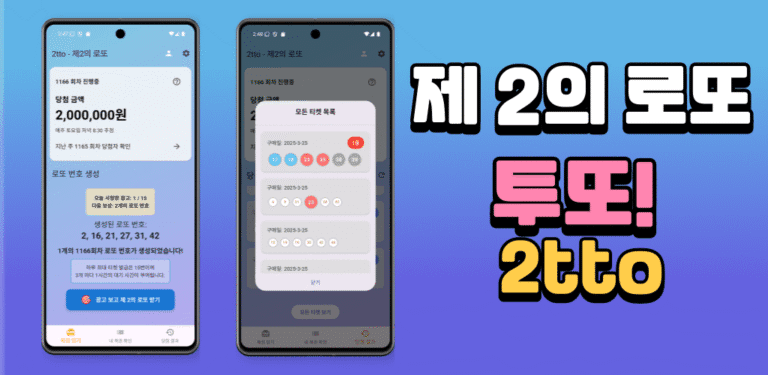
Twotto(투또) 로또 앱을 운영하면서 언젠가 채팅 기능이 필요하겠다는 생각을 해왔습니다. 문의하기 기능을 이용하다보니 하나의 질문에 하나의 답변만 주고 받을 수 있는 상황에 좀더 유연하게 대화를 할 필요가 있었습니다.
또한 나중에 친구 추가 기능을 구현 한다면 필연적으로 채팅 기능이 필요할거라 생각했지요. 어차피 나중에 구현할 기능이라면, 미리 그 기반을 만들자고 했습니다.
기존에 구현 되어있던, 공지사항을 확인하는 메시지 창과 문의하기 페이지를 활용해서 유저와의 채팅이 가능하도록 클로드 코드에게 기능 구현을 지시했습니다. 아래에 클로드 코드가 정리한 채팅 기능 구현 과정을 확인해 보시기 바랍니다.
(바이브 코딩으로 채팅기능을 구현하고자 하신다면 ai에게 본 포스팅 주소를 참고하도록 해서 구현 방향을 잡으시면 좋겠습니다.)
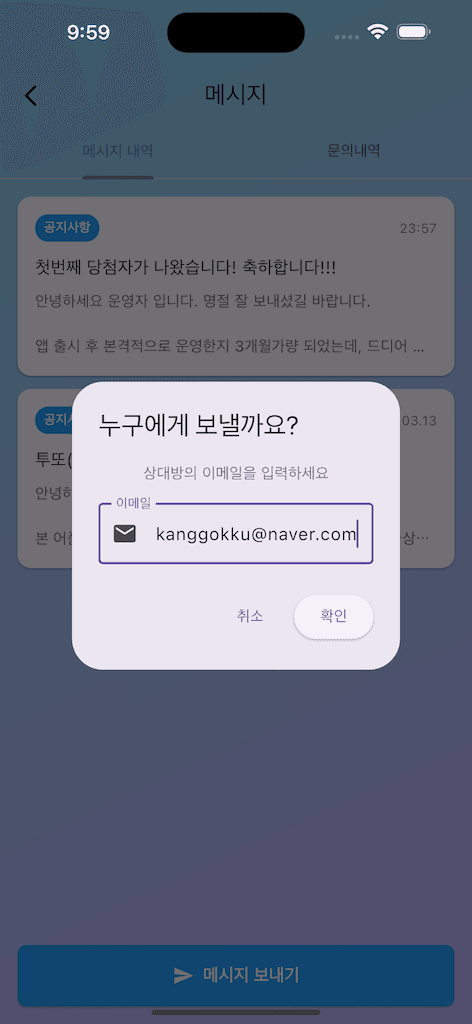
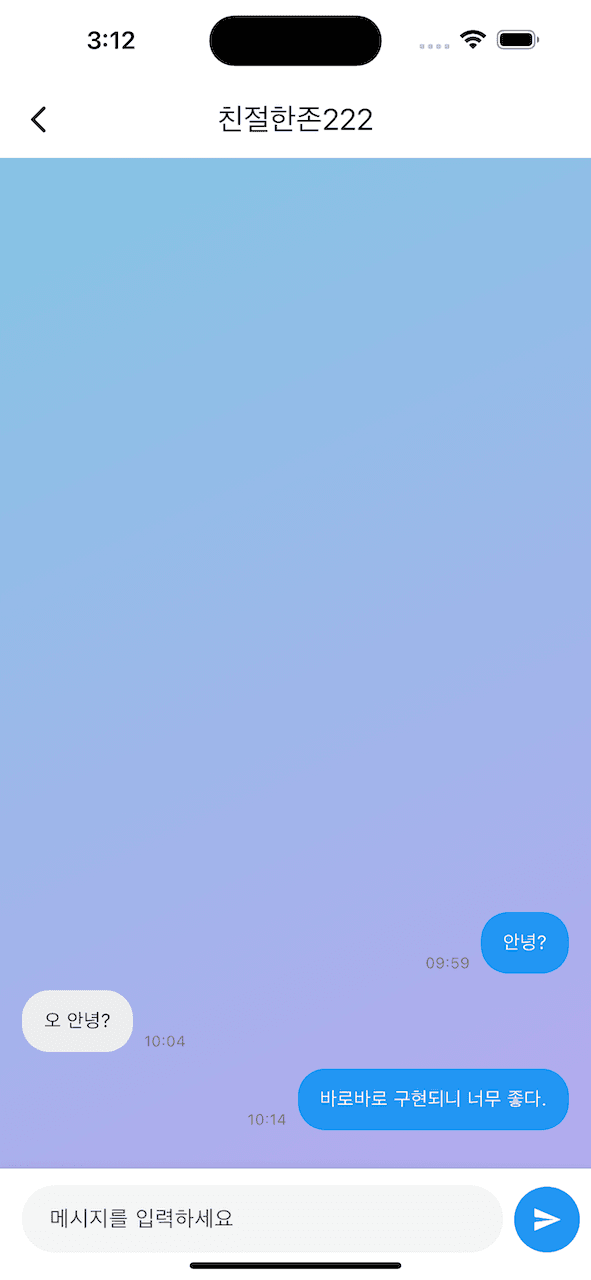
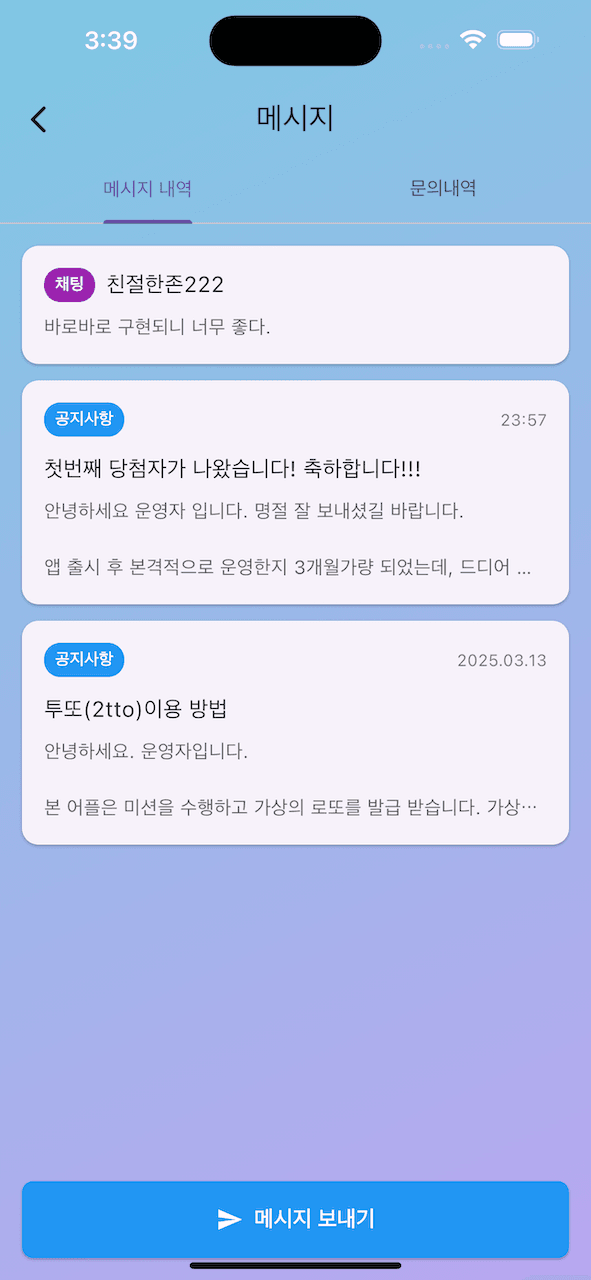
목표
- ✅ 이메일로 상대방을 찾아 대화 시작
- ✅ 공지사항과 채팅을 하나의 메시지 목록에서 통합 관리
- ✅ 읽지 않은 메시지 카운트에 채팅도 포함
- ✅ 실시간 메시지 주고받기
- ✅ 간단하면서도 확장 가능한 구조
🏗️ 시스템 아키텍처
1. Firestore 데이터 구조
채팅 기능의 핵심은 Firestore 구조 설계입니다. 확장성과 쿼리 성능을 고려해 다음과 같이 설계했습니다.
conversations/{conversationId}          // userId1_userId2 형태
├─ participants: [userId1, userId2]    // 참여자 배열
├─ createdAt: Timestamp                 // 대화방 생성 시간
├─ lastMessage: String                  // 마지막 메시지 내용
├─ lastMessageTime: Timestamp           // 마지막 메시지 시간
├─ unreadCount: {                       // 읽지 않은 메시지 수
│    userId1: 0,
│    userId2: 1
│  }
└─ messages/{messageId}                 // 서브컬렉션
   ├─ senderId: userId
   ├─ receiverId: userId
   ├─ content: String
   ├─ sentAt: Timestamp
   └─ isRead: Boolean
💡 핵심 포인트
1. 대화방 ID 생성 알고리즘
두 유저가 항상 같은 대화방을 공유하도록, ID를 생성할 때 유저 ID를 정렬합니다:
String _getConversationId(String userId1, String userId2) {
  final users = [userId1, userId2]..sort();
  return '${users[0]}_${users[1]}';
}
이렇게 하면 A가 B에게 메시지를 보내든, B가 A에게 메시지를 보내든 항상 같은 대화방 ID가 생성됩니다.
2. 서브컬렉션 활용
메시지들을 messages 서브컬렉션에 저장하면:
- 대화방 정보와 메시지가 논리적으로 분리됨
- 메시지가 많아져도 대화방 목록 쿼리 성능에 영향 없음
- 나중에 메시지 페이지네이션 구현 가능
💻 구현 과정
Step 1: MessageService 확장
기존 MessageService에 채팅 관련 메서드를 추가했습니다.
// lib/services/message_service.dart

class MessageService {
  final CollectionReference _conversationsCollection =
      FirebaseFirestore.instance.collection('conversations');

  /// 이메일로 유저 찾기
  Future<Map<String, dynamic>?> findUserByEmail(String email) async {
    try {
      final querySnapshot = await _usersCollection
          .where('userEmail', isEqualTo: email)
          .limit(1)
          .get();

      if (querySnapshot.docs.isEmpty) return null;

      final doc = querySnapshot.docs.first;
      final data = doc.data() as Map<String, dynamic>?;
      return {
        'userId': doc.id,
        'userName': data?['userName'] ?? '익명',
        'userEmail': data?['userEmail'] ?? '',
      };
    } catch (e) {
      print('유저 찾기 오류: $e');
      return null;
    }
  }

  /// 대화방 생성 또는 가져오기
  Future<String> getOrCreateConversation(String otherUserId) async {
    final user = FirebaseAuth.instance.currentUser;
    if (user == null) throw Exception('로그인이 필요합니다.');

    final conversationId = _getConversationId(user.uid, otherUserId);
    final conversationRef = _conversationsCollection.doc(conversationId);
    final conversationDoc = await conversationRef.get();

    if (!conversationDoc.exists) {
      // 새 대화방 생성
      await conversationRef.set({
        'participants': [user.uid, otherUserId],
        'createdAt': FieldValue.serverTimestamp(),
        'lastMessage': '',
        'lastMessageTime': FieldValue.serverTimestamp(),
        'unreadCount': {
          user.uid: 0,
          otherUserId: 0,
        }
      });
    }

    return conversationId;
  }

  /// 채팅 메시지 보내기
  Future<void> sendChatMessage({
    required String conversationId,
    required String receiverId,
    required String content,
  }) async {
    final user = FirebaseAuth.instance.currentUser;
    if (user == null) throw Exception('로그인이 필요합니다.');

    try {
      final conversationRef = _conversationsCollection.doc(conversationId);
      final messageRef = conversationRef.collection('messages').doc();

      await messageRef.set({
        'senderId': user.uid,
        'receiverId': receiverId,
        'content': content,
        'sentAt': FieldValue.serverTimestamp(),
        'isRead': false,
      });

      // 대화방 정보 업데이트
      await conversationRef.update({
        'lastMessage': content,
        'lastMessageTime': FieldValue.serverTimestamp(),
        'unreadCount.$receiverId': FieldValue.increment(1),
      });
    } catch (e) {
      print('메시지 전송 오류: $e');
      rethrow;
    }
  }

  /// 채팅 메시지 스트림 가져오기
  Stream<List<Map<String, dynamic>>> getChatMessages(String conversationId) {
    return _conversationsCollection
        .doc(conversationId)
        .collection('messages')
        .orderBy('sentAt', descending: true)
        .snapshots()
        .map((snapshot) {
      return snapshot.docs.map((doc) {
        final data = doc.data();
        return {
          'id': doc.id,
          'senderId': data['senderId'] ?? '',
          'receiverId': data['receiverId'] ?? '',
          'content': data['content'] ?? '',
          'sentAt': data['sentAt'],
          'isRead': data['isRead'] ?? false,
        };
      }).toList();
    });
  }
}
🎯 핵심 메서드
| 메서드 | 역할 |
|---|---|
findUserByEmail() | 이메일로 상대방 검색 |
getOrCreateConversation() | 대화방 생성/조회 |
sendChatMessage() | 메시지 전송 |
getChatMessages() | 실시간 메시지 스트림 |
markChatMessagesAsRead() | 읽음 처리 |
getMyConversations() | 내 대화방 목록 |
Step 2: ChatScreen 위젯 생성
실제 채팅 화면을 구현합니다.
// lib/screens/chat_screen.dart

class ChatScreen extends StatefulWidget {
  final String conversationId;
  final String otherUserId;
  final String otherUserName;

  const ChatScreen({
    super.key,
    required this.conversationId,
    required this.otherUserId,
    required this.otherUserName,
  });

  @override
  State<ChatScreen> createState() => _ChatScreenState();
}

class _ChatScreenState extends State<ChatScreen> {
  final MessageService _messageService = MessageService();
  final TextEditingController _textController = TextEditingController();
  final ScrollController _scrollController = ScrollController();
  final currentUser = FirebaseAuth.instance.currentUser;

  @override
  void initState() {
    super.initState();
    // 채팅방 진입 시 읽음 처리
    _messageService.markChatMessagesAsRead(widget.conversationId);
  }

  void _sendMessage() async {
    if (_textController.text.trim().isEmpty) return;

    final content = _textController.text.trim();
    _textController.clear();

    try {
      await _messageService.sendChatMessage(
        conversationId: widget.conversationId,
        receiverId: widget.otherUserId,
        content: content,
      );

      // 메시지 전송 후 스크롤
      if (_scrollController.hasClients) {
        _scrollController.animateTo(
          0,
          duration: const Duration(milliseconds: 300),
          curve: Curves.easeOut,
        );
      }
    } catch (e) {
      if (mounted) {
        ScaffoldMessenger.of(context).showSnackBar(
          SnackBar(content: Text('메시지 전송 실패: $e')),
        );
      }
    }
  }

  @override
  Widget build(BuildContext context) {
    final isDarkMode = Theme.of(context).brightness == Brightness.dark;

    return Scaffold(
      appBar: AppBar(
        title: Text(widget.otherUserName),
      ),
      body: Column(
        children: [
          // 메시지 목록
          Expanded(
            child: StreamBuilder<List<Map<String, dynamic>>>(
              stream: _messageService.getChatMessages(widget.conversationId),
              builder: (context, snapshot) {
                if (snapshot.connectionState == ConnectionState.waiting) {
                  return const Center(child: CircularProgressIndicator());
                }

                final messages = snapshot.data ?? [];

                if (messages.isEmpty) {
                  return const Center(child: Text('메시지를 보내보세요!'));
                }

                return ListView.builder(
                  controller: _scrollController,
                  reverse: true,
                  padding: const EdgeInsets.all(16),
                  itemCount: messages.length,
                  itemBuilder: (context, index) {
                    final message = messages[index];
                    final isMe = message['senderId'] == currentUser?.uid;

                    return Padding(
                      padding: const EdgeInsets.only(bottom: 12),
                      child: Row(
                        mainAxisAlignment: isMe
                            ? MainAxisAlignment.end
                            : MainAxisAlignment.start,
                        children: [
                          Flexible(
                            child: Container(
                              padding: const EdgeInsets.symmetric(
                                horizontal: 16,
                                vertical: 12,
                              ),
                              decoration: BoxDecoration(
                                color: isMe ? Colors.blue : Colors.grey[200],
                                borderRadius: BorderRadius.circular(20),
                              ),
                              child: Text(
                                message['content'] ?? '',
                                style: TextStyle(
                                  fontSize: 14,
                                  color: isMe ? Colors.white : Colors.black87,
                                ),
                              ),
                            ),
                          ),
                        ],
                      ),
                    );
                  },
                );
              },
            ),
          ),

          // 메시지 입력창
          Container(
            padding: EdgeInsets.only(
              left: 16,
              right: 8,
              top: 12,
              bottom: MediaQuery.of(context).viewInsets.bottom + 20,
            ),
            child: SafeArea(
              bottom: false,
              child: Row(
                children: [
                  Expanded(
                    child: TextField(
                      controller: _textController,
                      decoration: InputDecoration(
                        hintText: '메시지를 입력하세요',
                        border: OutlineInputBorder(
                          borderRadius: BorderRadius.circular(24),
                          borderSide: BorderSide.none,
                        ),
                        filled: true,
                        fillColor: Colors.grey[100],
                      ),
                      onSubmitted: (_) => _sendMessage(),
                    ),
                  ),
                  const SizedBox(width: 8),
                  Container(
                    width: 48,
                    height: 48,
                    decoration: const BoxDecoration(
                      color: Colors.blue,
                      shape: BoxShape.circle,
                    ),
                    child: IconButton(
                      icon: const Icon(Icons.send, color: Colors.white),
                      onPressed: _sendMessage,
                    ),
                  ),
                ],
              ),
            ),
          ),
        ],
      ),
    );
  }
}
💡 UI 구성 포인트
1. StreamBuilder로 실시간 업데이트
StreamBuilder<List<Map<String, dynamic>>>(
  stream: _messageService.getChatMessages(widget.conversationId),
  builder: (context, snapshot) {
    // 자동으로 새 메시지 반영
  }
)
2. reverse: true로 채팅 UX
ListView.builder(
  reverse: true,  // 최신 메시지가 아래에 표시
  // ...
)
3. 키보드 대응
padding: EdgeInsets.only(
  bottom: MediaQuery.of(context).viewInsets.bottom + 20,
)
키보드가 올라오면 viewInsets.bottom이 증가하여 자동으로 입력창이 위로 올라갑니다.
Step 3: 메시지 목록 통합
공지사항과 채팅을 하나의 목록에서 보여줍니다.
// lib/screens/message_screen.dart

class _MessagesListViewState extends State<_MessagesListView> {
  /// 공지사항과 채팅 목록을 합쳐서 반환
  Future<List<Map<String, dynamic>>> _getCombinedMessages() async {
    final messageService = MessageService();
    final items = <Map<String, dynamic>>[];

    // 1. 공지사항 가져오기
    final messagesStream = messageService.getUserMessages();
    final messages = await messagesStream.first;
    for (var message in messages) {
      items.add({
        'type': 'notice',
        'data': message,
        'timestamp': message.createdAt,
      });
    }

    // 2. 채팅 목록 가져오기
    final conversations = await messageService.getMyConversations();
    for (var conv in conversations) {
      items.add({
        'type': 'chat',
        'data': conv,
        'timestamp': conv['lastMessageTime'],
      });
    }

    // 3. 시간순 정렬 (최신순)
    items.sort((a, b) {
      final aTime = a['timestamp'];
      final bTime = b['timestamp'];

      // DateTime과 Timestamp 모두 처리
      DateTime? aDateTime;
      DateTime? bDateTime;

      if (aTime is DateTime) {
        aDateTime = aTime;
      } else if (aTime is Timestamp) {
        aDateTime = aTime.toDate();
      }

      if (bTime is DateTime) {
        bDateTime = bTime;
      } else if (bTime is Timestamp) {
        bDateTime = bTime.toDate();
      }

      if (aDateTime != null && bDateTime != null) {
        return bDateTime.compareTo(aDateTime);
      }

      return 0;
    });

    return items;
  }

  @override
  Widget build(BuildContext context) {
    return FutureBuilder<List<Map<String, dynamic>>>(
      future: _getCombinedMessages(),
      builder: (context, snapshot) {
        final items = snapshot.data ?? [];

        return ListView.builder(
          itemCount: items.length,
          itemBuilder: (context, index) {
            final item = items[index];
            if (item['type'] == 'notice') {
              return _buildMessageCard(item['data'] as Message);
            } else {
              return _buildChatCard(item['data'] as Map<String, dynamic>);
            }
          },
        );
      },
    );
  }
}
Step 4: 읽지 않은 메시지 카운트
메인 화면의 메시지 아이콘에 배지를 표시하기 위해, 채팅의 읽지 않은 메시지도 카운트에 포함시킵니다.
// lib/services/message_service.dart

Future<void> _loadInitialUnreadCount() async {
  final user = FirebaseAuth.instance.currentUser;
  if (user == null) return;

  int unreadCount = 0;

  try {
    // 1. 읽지 않은 공지사항 개수
    final noticesSnapshot = await _noticesCollection.get();
    final readNoticeIds = await _getReadNoticeIds();

    for (var doc in noticesSnapshot.docs) {
      if (!readNoticeIds.contains(doc.id)) {
        unreadCount++;
      }
    }

    // 2. 읽지 않은 채팅 메시지 개수 ⭐ NEW!
    final conversationsSnapshot = await _conversationsCollection
        .where('participants', arrayContains: user.uid)
        .get();

    for (var doc in conversationsSnapshot.docs) {
      final data = doc.data() as Map<String, dynamic>;
      final unreadChatCount =
          (data['unreadCount'] as Map<String, dynamic>?)?[user.uid] ?? 0;
      unreadCount += unreadChatCount as int;
    }

    if (_unreadCountStreamController != null &&
        !_unreadCountStreamController!.isClosed) {
      _unreadCountStreamController!.add(unreadCount);
    }
  } catch (e) {
    print('초기 읽지 않은 메시지 개수 로드 오류: $e');
  }
}
🐛 트러블슈팅
문제 1: 대화방이 목록에 나타나지 않음
증상: 메시지를 보낸 직후 메시지 목록으로 돌아가면 채팅방이 보이지 않음
원인: Firestore의 orderBy('lastMessageTime') 쿼리에서 FieldValue.serverTimestamp()로 설정된 필드는 로컬에서 즉시 읽을 때 null이 될 수 있고, orderBy는 null 값을 제외함
해결:
// orderBy 제거하고 클라이언트 측에서 정렬
final querySnapshot = await _conversationsCollection
    .where('participants', arrayContains: user.uid)
    .get();  // orderBy 제거!

// 클라이언트 측 정렬
conversations.sort((a, b) {
  final aTime = a['lastMessageTime'] ?? a['createdAt'];
  final bTime = b['lastMessageTime'] ?? b['createdAt'];

  if (aTime is Timestamp && bTime is Timestamp) {
    return bTime.compareTo(aTime);
  }
  return 0;
});
문제 2: 키보드가 올라오지 않음
증상: TextField를 클릭해도 키보드가 나타나지 않음
원인: SafeArea와 padding의 중복/충돌
해결:
// ❌ 잘못된 방법
Container(
  padding: EdgeInsets.only(
    bottom: MediaQuery.of(context).viewInsets.bottom + 12,
  ),
  child: SafeArea(bottom: false, child: Row(...))
)

// ✅ 올바른 방법
Container(
  padding: EdgeInsets.only(
    bottom: MediaQuery.of(context).viewInsets.bottom + 20,
  ),
  child: SafeArea(
    bottom: false,  // 하단 SafeArea 비활성화
    child: Row(...)
  )
)
📊 결과
구현된 기능
- ✅ 이메일 검색: 상대방 이메일로 유저 찾기
- ✅ 대화방 생성: 자동으로 대화방 생성 또는 기존 방 찾기
- ✅ 실시간 채팅: StreamBuilder로 실시간 메시지 업데이트
- ✅ 읽음 처리: 채팅방 진입 시 자동 읽음 처리
- ✅ 통합 목록: 공지사항과 채팅을 하나의 리스트에 시간순 표시
- ✅ 배지 카운트: 메인 화면에서 읽지 않은 채팅 수 표시
- ✅ 다크모드 대응: 라이트/다크 테마 모두 지원
사용자 플로우
1. 메시지 화면 → "메시지 보내기" 버튼 클릭
   ↓
2. 이메일 입력 다이얼로그 표시
   ↓
3. 상대방 이메일 입력 (예: friend@example.com)
   ↓
4. DB에서 유저 검색
   ↓
5. 유저 존재 시 → 대화방 생성/조회
   ↓
6. ChatScreen으로 이동
   ↓
7. 실시간 메시지 주고받기
   ↓
8. 뒤로가기 → 메시지 목록에 채팅방 표시
   ↓
9. 상대방도 메시지 목록에서 대화 확인 가능
🎓 배운 점
1. Firestore 구조 설계의 중요성
처음에는 단순하게 messages 컬렉션 하나만 만들려고 했지만, 확장성을 고려하여 conversations와 messages 서브컬렉션으로 분리한 것이 좋았습니다. 덕분에:
- 대화방 목록 쿼리가 빠름
- 메시지 페이지네이션 구현 가능
- 대화방별 메타데이터 관리 용이
2. 클라이언트 vs 서버 정렬
Firestore의 orderBy는 편리하지만, FieldValue.serverTimestamp() 같은 서버 타임스탬프를 사용할 때는 로컬에서 즉시 읽기가 어렵습니다. 이럴 때는 클라이언트 측 정렬이 더 안정적일 수 있습니다.
3. SafeArea와 키보드 처리
Flutter에서 키보드 대응은 까다롭습니다. MediaQuery.of(context).viewInsets.bottom과 SafeArea의 조합을 잘 이해해야 합니다.
🚀 다음 단계
개선 방향
- 메시지 페이지네이션: 메시지가 많아지면 초기 로딩이 느려질 수 있음
- 이미지/파일 전송: 현재는 텍스트만 가능
- 푸시 알림: 새 메시지 도착 시 알림 보내기
- 온라인 상태 표시: 상대방이 현재 온라인인지 표시
📚 참고 자료
마치며 – 생각보다 간단하네?
바이브 코딩으로 채팅 기능을 구현시키니 생각보다 훨씬 빠르고 정확하게 기능을 구현해낸 클로드 코드를 보면서 한번 더 점점 ai가 빠르게 발전한걸 느낀다. 분명 앱 개발 시작했던 3월, 출시했던 7월을 생각해보면 이 기능을 구현하도록 지시하면 엉뚱한 방향으로 코드를 작성하고 해매곤 했는데, 오늘 구현한 채팅 기능은 수정 3~4번 만에 만족스러운 결과물을 얻었네요.
앞으로 더 다양한, 복잡한 기능을 추가 할 수 있을거 같아 기대가 됩니다.